Managed EKS on AWS (2026): Auto Mode vs Self-Managed Karpenter vs Partner MSP
Quick summary: For a product SaaS (~12 production nodes, 3 clusters), EKS Auto Mode cut internal K8s ops from 80 to 35 hours/month at similar compute spend. A partner MSP quote was $6,500/mo on top for 24/7 paging alone.
Key Takeaways
- For a product SaaS (~12 production nodes, 3 clusters), EKS Auto Mode cut internal K8s ops from 80 to 35 hours/month at similar compute spend
- A partner MSP quote was $6,500/mo on top for 24/7 paging alone
- 2025 to 2026 consolidation optimizations reduced scale-out latency versus self-managed node groups (Faster nodes, smarter scaling)
- This post is the managed EKS decision framework: three operating models, ops-hour trade-offs, and when an MSP still earns its fee
- It is not Karpenter installation, not Karpenter vs Cluster Autoscaler, not EKS pricing line items alone, and not generic MSP scope
Table of Contents
EKS Auto Mode ships managed Karpenter, Node Auto Repair (GPU failure detection with cordon/replace respecting PDBs), and Bottlerocket accelerated AMIs with pre-installed GPU telemetry (AWS containers blog: GPU on Auto Mode). 2025 to 2026 consolidation optimizations reduced scale-out latency versus self-managed node groups (Faster nodes, smarter scaling).
This post is the managed EKS decision framework: three operating models, ops-hour trade-offs, and when an MSP still earns its fee. It is not Karpenter installation, not Karpenter vs Cluster Autoscaler, not EKS pricing line items alone, and not generic MSP scope.
Artifacts: EKS mode cost worksheet CSV, managed EKS decision checklist.
Three operating models
| Model | You operate | AWS operates | Best when |
|---|---|---|---|
| Self-managed Karpenter | NodePools, AMIs, GPU drivers, upgrades | Control plane only | Custom AMIs, full Karpenter flexibility |
| EKS Auto Mode | Workloads, Helm, GitOps | Karpenter lifecycle, consolidation, node repair, Bottlerocket AMIs | Ops headcount is the constraint |
| Partner-managed | Application releases (sometimes) | MSP runs patches, on-call, upgrades per SOW | 24/7 paging you cannot staff |
Opinionated take: Auto Mode before MSP for node operations. Paying $6k+/mo for Karpenter tuning that AWS now manages is hard to justify unless the MSP brings application SRE depth Auto Mode explicitly excludes.
Decision tree
Need custom AMI or non-standard instance types?
  YES → Self-managed Karpenter
  NO → Need 24/7 app-aware on-call across 5+ clusters?
         YES → Partner MSP (+ optionally Auto Mode for nodes)
         NO → EKS Auto Mode
Fill dollar amounts in eks-mode-cost-worksheet.csv.
What EKS Auto Mode includes
Per Under the hood: EKS Auto Mode:
- Dynamic autoscaling: right-sized EC2 including GPU pools from pod requirements
- Consolidation: node deletion when pods fit elsewhere; node replacement with cheaper types
- Node Auto Repair: GPU failures detected via DCGM-Exporter / Neuron Monitor; repair ~10 minutes after detection
- Bottlerocket AMIs: no manual launch-template driver pinning for NVIDIA/Inferentia
What Auto Mode does not do: upgrade your application Helm charts, tune JVM heap, page your product manager, or own database failover.
When to stay on self-managed Karpenter
Stay if any of these are true:
- Custom kernel modules or FIPS STIG AMI mandated
- Instance types outside Auto Mode predefined set
- Existing NodePool investment with GitOps-reviewed YAML you cannot migrate this quarter
- Multi-cloud Kubernetes abstraction (same Karpenter CRDs on EKS + elsewhere)
Partner MSP: normalize the SOW
Checklist: managed-eks-decision-checklist.md.
| SOW line item | Ask |
|---|---|
| Control plane upgrades | Included or customer change window? |
| GPU node pools | Same SLA as general compute? |
| Application Helm | In scope or “customer responsibility”? |
| Incident comms | Who pages product owner? |
Migration gates for the Auto Mode cutover
# Context: eksctl 0.190+, existing cluster us-east-1 — enable Auto Mode compute capability (July 2026)
eksctl update cluster --name prod-a --enable-auto-mode- Run 10% traffic parallel node pool for 2 weeks
- Compare p99 inference latency and ops hours (ticket count)
- Snapshot previous Karpenter NodePool YAML for rollback
- Validate GPU workloads on Bottlerocket accelerated AMI before decommissioning custom AMIs
What to do this week
- Download eks-mode-cost-worksheet.csv and fill in your node counts and internal ops hours.
- List tasks you did last month: AMI patch, Karpenter upgrade, GPU driver, on-call, and mark which Auto Mode covers.
- If MSP quote in flight, map SOW lines to checklist Stage 0.
- Audit PDBs on GPU/stateless tiers before enabling Node Auto Repair.
- Pilot Auto Mode on one non-production cluster first.
What this post doesn’t cover
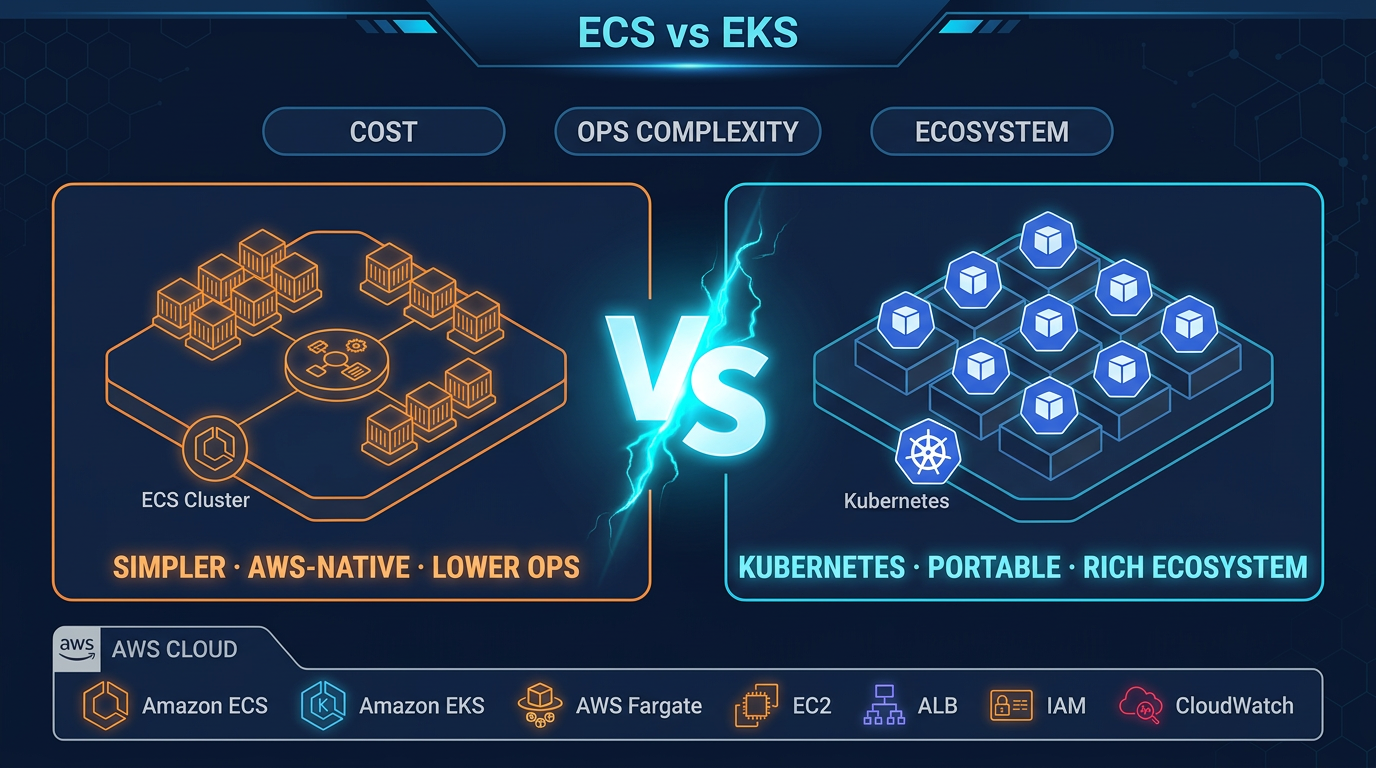
- ECS vs EKS orchestration choice: see ECS vs EKS guide
- GitOps bootstrap (Argo CD / Flux): see GitOps on EKS 2026
- Kubecost allocation labels: see Kubecost EKS optimization
- Full MSP evaluation RFP: see how to evaluate an AWS MSP
We have not benchmarked Auto Mode consolidation savings on Spot-only node strategies. The worksheet uses On-Demand assumptions; add your Savings Plan discount column locally.
Frequently asked questions
When should we choose EKS Auto Mode over self-managed Karpenter?
When should we NOT enable EKS Auto Mode?
What breaks during Node Auto Repair on GPU nodes?
How does this differ from the Karpenter cost how-to?
When should we hire an MSP for EKS instead of Auto Mode?
What could go wrong comparing MSP quotes?

Enterprise AI Transformation
Enterprise AI transformation and implementation leader focused on pilot-to-production playbooks, with a background in financial services. Writes the FactualMinds guides on serverless, CI/CD, and DevOps on AWS, the delivery plumbing production AI depends on.