AWS Blocks Preview: Local Backends, Zero-Change Deploy
Quick summary: AWS Blocks (public preview, June 2026): 18+ open-source TypeScript building blocks that run locally without an AWS account and deploy with zero code changes.
Key Takeaways
- AWS Blocks (public preview, June 2026): 18+ open-source TypeScript building blocks that run locally without an AWS account and deploy with zero code changes
- On June 16, 2026, AWS announced the public preview of AWS Blocks, an open-source TypeScript framework for composing application backends on AWS (announcement)
- Blocks is a backend toolkit, not a separate PaaS, where each Block bundles application code, a local development implementation, and the AWS infrastructure to run it in production
- There is no additional charge for AWS Blocks; you pay only for the underlying AWS services your application consumes
- At preview, Blocks deploys to all commercial AWS regions
Table of Contents
On June 16, 2026, AWS announced the public preview of AWS Blocks, an open-source TypeScript framework for composing application backends on AWS (announcement). Blocks is a backend toolkit, not a separate PaaS, where each Block bundles application code, a local development implementation, and the AWS infrastructure to run it in production. There is no additional charge for AWS Blocks; you pay only for the underlying AWS services your application consumes. At preview, Blocks deploys to all commercial AWS regions.
The pitch: run a fully functional local stack (Postgres, authentication, real-time messaging) with zero AWS credentials, then deploy the same application code to production AWS services when the feature is validated. When you outgrow a Block’s defaults, drop into AWS CDK via aws-blocks/index.cdk.ts. Blocks puts the application first and derives the infrastructure from it.
Why backend-on-AWS projects still stall
Most AWS backend projects still follow an infrastructure-first loop:
Write app code → request sandbox account → write CloudFormation/CDK →
deploy → wait → discover IAM error → fix → redeploy → repeat
That loop creates four predictable failures:
| Friction | What breaks |
|---|---|
| Sandbox account gating | Days waiting for AWS access before “hello world” |
| Deploy-wait-fix cycle | IAM and capacity errors surface only after CloudFormation runs |
| Split infra + app layers | Terraform/CDK templates drift from application code over sprints |
| Frontend/backend contracts | OpenAPI specs and codegen fall behind API signature changes |
AWS Blocks targets teams where the bottleneck is the onboarding friction between “I have a container/API idea” and “it runs on HTTPS with auth and a database.” AWS service availability is not the constraint here; ECS alone provisions roughly 3 billion tasks per week.
Traditional IaC tools (CDK, Terraform, SAM) excel at production-grade infrastructure but require a separate definition layer that application developers often do not own. Visual tools like Application Composer help prototype CloudFormation templates but still produce infrastructure artifacts, not runnable application backends. AWS Blocks inverts the model: your backend entry point is both runtime code and infrastructure definition.
How AWS Blocks works: Infrastructure from Code
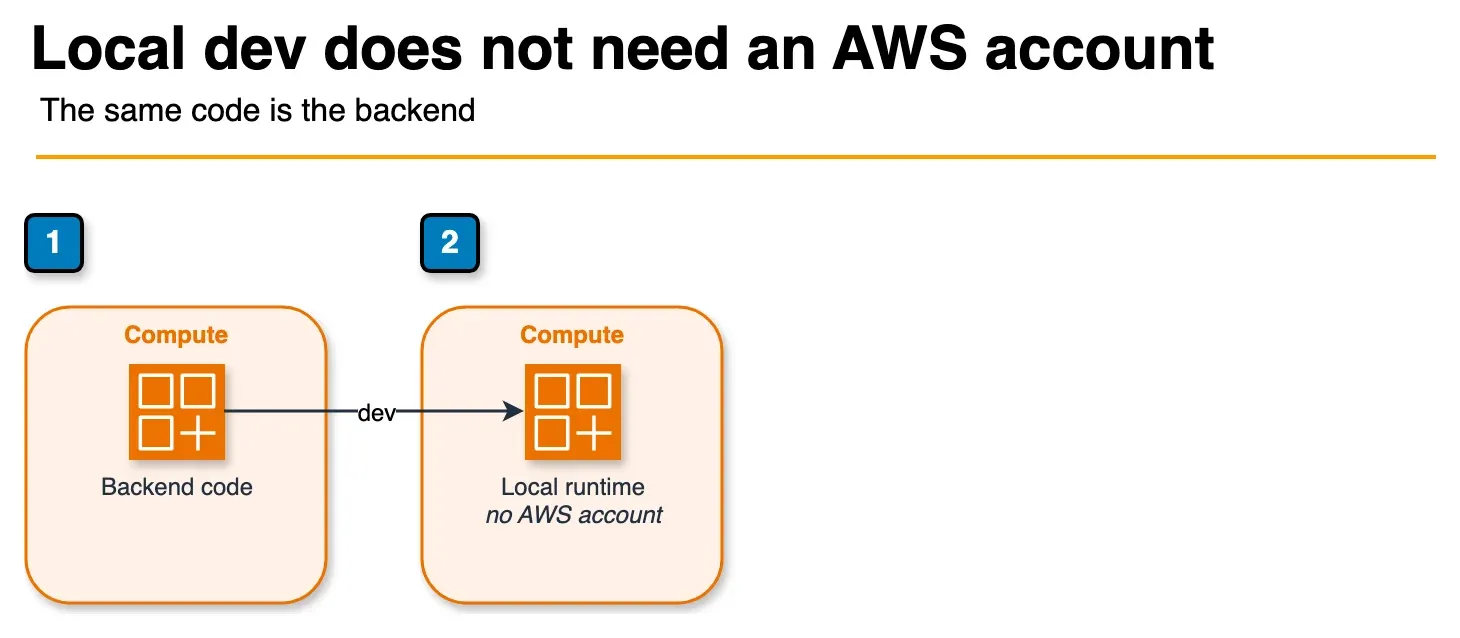
Figure: local development in the article. npm run dev runs the Blocks on the machine. The table data stays on disk and the API stays on localhost. No AWS credentials are required for that loop. Open the draw.io source.
AWS calls the model Infrastructure from Code. Your backend lives in aws-blocks/index.ts. That file defines Blocks (tables, auth, APIs, jobs) and exports typed APIs your frontend imports directly.
AWS CLI v2 not required for local dev. TypeScript + Node.js 20+, AWS Blocks preview, June 2026.
import { Scope, ApiNamespace, DistributedTable, AuthBasic } from '@aws-blocks/blocks';
import { z } from 'zod';

const scope = new Scope('my-app');

const auth = new AuthBasic(scope, 'auth');

const tasks = new DistributedTable(scope, 'tasks', {
  schema: z.object({
    userId: z.string(),
    taskId: z.string(),
    title: z.string(),
    done: z.boolean(),
  }),
  key: { partitionKey: 'userId', sortKey: 'taskId' },
});

export const api = new ApiNamespace(scope, 'api', (context) => ({
  async addTask(userId: string, title: string) {
    await auth.requireAuth(context); // ApiNamespace methods are public by default
    await tasks.put({ userId, taskId: crypto.randomUUID(), title, done: false });
  },
}));
Preview footgun:
ApiNamespacemethods are unauthenticated by default. Local dev works without guards; production exposes open RPC endpoints until you callawait auth.requireAuth(context)on every non-public method.
Run npm run dev and the table persists to .bb-data/ on disk. The API serves on localhost with hot reload. Your frontend imports api directly. Change a backend signature and TypeScript breaks the frontend at compile time, not in production.
When ready for AWS, the same code deploys without modification:
| Command | Purpose | What deploys |
|---|---|---|
npm run dev | Local development | .bb-data/ on disk, localhost API, hot reload |
npm run sandbox | Fast ephemeral AWS test | Backend-only; Lambda hot-swap; seconds |
npm run deploy | Production | Full CDK stack: DynamoDB, Lambda, API Gateway, CloudFront + S3 hosting, SSR, WAF |
Three properties affect adoption:
- 18+ building blocks at preview covering data, identity, messaging, compute, storage, AI, and observability.
- End-to-end type safety from schema to frontend, with no codegen or OpenAPI maintenance (per AWS announcement).
- Built-in AI coding tool guidance: steering files ship inside the npm package for agents that read
node_modulesdocumentation.
Supported frontends at preview include Vite + React SPAs and SSR frameworks Next.js, Nuxt, and Astro.
What you write and what runs
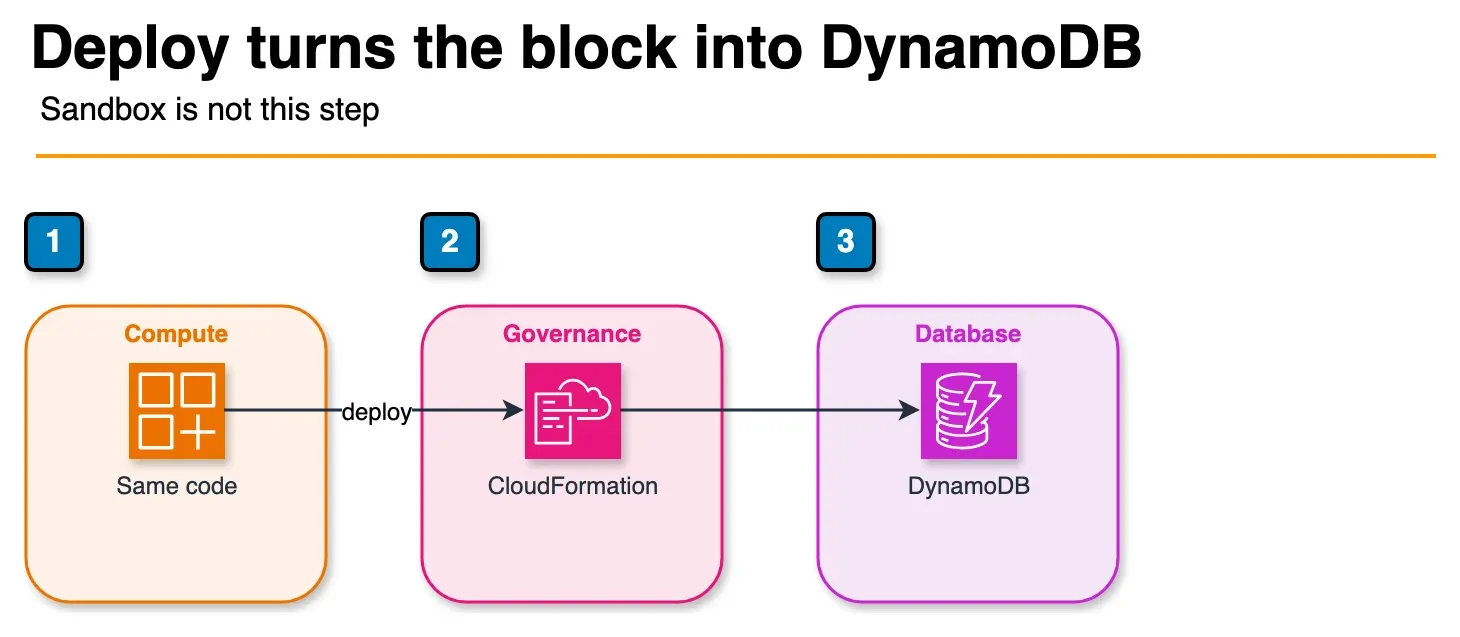
Figure: production deploy in the article. npm run deploy sends the same code through CDK and CloudFormation. A DistributedTable becomes DynamoDB. The article’s table lists the other Blocks. Sandbox is backend-only and does not publish the CloudFront site. The three-tool choice is an earlier diagram. Open the draw.io source.
All packages publish under the @aws-blocks scope, for example @aws-blocks/core, @aws-blocks/blocks, and per-Block packages such as @aws-blocks/bb-kv-store. The umbrella package @aws-blocks/blocks re-exports every Block plus the core runtime (GitHub).
Where to read the API
After scaffolding, treat node_modules/@aws-blocks/blocks/README.md as the workflow reference: architecture, Scope organization, error handling, schema validation, local development, deployment IAM setup, and common mistakes. For a specific Block, read its package README (e.g. node_modules/@aws-blocks/bb-kv-store/README.md). Those files are version-pinned and authoritative for your installed release. GitHub and the AWS Blocks Developer Guide supplement but do not replace the installed package docs.
| You write | Runs locally as | Deploys to AWS as |
|---|---|---|
DistributedTable | JSON file on disk | DynamoDB with GSIs |
Database | PGlite (WASM Postgres) | Aurora Serverless v2 |
DistributedDatabase | PGlite (WASM Postgres) | Aurora DSQL |
AuthCognito | Local JWT mock | Cognito User Pool |
AuthBasic / AuthOIDC | Local JWT / OIDC mock | JWT / federated auth |
Realtime | Local WebSocket server | API Gateway WebSocket |
AsyncJob | Runs in-process | SQS + Lambda |
CronJob | Manual trigger | EventBridge + Lambda |
FileBucket | Local filesystem | S3 with presigned URLs |
KnowledgeBase | Local vector search | Bedrock Knowledge Bases |
Agent | Canned responses | Amazon Bedrock |
EmailClient | Console log | Amazon SES |
Logger / Metrics / Tracer | Console / no-op | CloudWatch / X-Ray |
Hosting | - | CloudFront + S3 (+ SSR) |
Additional Blocks include KVStore, AppSetting (config/secrets), and Dashboard (auto-generated observability views). The pattern is consistent: import a Block, use it in application logic, and Blocks provisions the AWS resources following AWS best practices when you deploy.
When to choose Blocks, and when not to
We recommend AWS Blocks when:
- A full-stack TypeScript team is building a SaaS MVP or internal tool.
- You need local-first iteration without sandbox account dependency or AWS credentials.
- Typed frontend/backend coupling matters more than maintaining OpenAPI contracts.
- You expect to outgrow Block defaults and want a CDK escape hatch, not a platform lock-in.
We recommend CDK/Terraform/SAM instead when:
- Org policy mandates reviewed IaC modules, multi-account landing zones, or non-TypeScript stacks.
- You need custom VPC topology from day one: private-only APIs, cross-account peering, specialized compliance boundaries.
We recommend Application Composer instead when:
- You want visual CloudFormation/SAM prototyping for serverless spikes. See our Application Composer guide.
We recommend Amplify Gen 2 instead when:
- You want a managed full-stack hosting framework with Amplify’s auth/data/hosting opinions baked in.
Kiro: Blocks ships AI steering files in the npm package. A community Kiro Power at github.com/awsdataarchitect/aws-blocks packages Block APIs and deployment workflows for agentic scaffolding. It complements our Kiro IDE guide and does not replace reading the Blocks docs.
Security controls that remain your responsibility
Blocks provisions AWS resources with least-privilege IAM per Block, but several security controls are your responsibility at preview:
| Control | What to do |
|---|---|
| API auth | Call await auth.requireAuth(context) on every non-public ApiNamespace method (methods are open by default) |
| Secrets | Use new AppSetting(scope, id, { secret: true }) for API keys and credentials; do not hardcode secrets or rely on .env for Block-managed config |
| User data schemas | Attach Zod schemas to KVStore and AppSetting blocks that accept user input; the RPC layer validates structure, not business rules |
| IAM scope | Do not add broad * policies; each Block already grants scoped permissions; keep custom CDK in aws-blocks/index.cdk.ts equally narrow |
| FileBucket | Do not disable blockPublicAccess; serve public assets through CloudFront via the Hosting Block |
| CORS | Set CORS_ALLOWED_ORIGINS to explicit production origins and avoid wildcards |
| Cross-domain auth | Pass crossDomain: true to auth constructors when frontend and API run on different domains (SameSite=None; Secure; Partitioned) |
| Production alerts | Enable monitoring: { enabled: true, snsTopicArn: '...' } on Hosting for operational alerts |
| Edge protection | Add WAF rules and API Gateway throttling via CDK for public-facing apps (not included by default); model WAF cost with our WAF pricing calculator |
| Logging | Logger serializes safely but does not redact secrets, so sanitize context objects before logging tokens or credentials |
Multi-account deployment, private-only VPC endpoints, and enterprise security review of preview software still require custom CDK beyond Block defaults.
Cost: no Blocks surcharge
Illustrative note, June 2026, not a client engagement.
| Line item | Cost |
|---|---|
| AWS Blocks framework | $0 surcharge at preview |
| DynamoDB, Lambda, API Gateway | Standard AWS list prices |
CloudFront + S3 (via deploy) | Standard AWS list prices |
| Cognito, Bedrock, SES (if used) | Standard AWS list prices |
Preview status means the Blocks pricing model itself could change at GA. Underlying service costs follow normal AWS billing. Model your bill from the services each Block provisions, not from Blocks itself.
Getting started
AWS Blocks preview, Node.js 20+, June 2026.
Scaffolding paths
# Greenfield app
npx @aws-blocks/create-blocks-app my-app

# Existing frontend repo — adds aws-blocks/ alongside your code
npx @aws-blocks/create-blocks-app .

# Amplify Gen 2 — same command; CLI detects amplify/backend.ts
npx @aws-blocks/create-blocks-app .
After scaffolding:
cd my-app   # or stay in project root if you used .
npm install
npm run dev          # local — no AWS credentials
npm run sandbox      # backend on real AWS (seconds)
npm run deploy       # full production stack + hosting
npm run destroy      # tear down deployed resources
CLI templates
Pass --template <name> to create-blocks-app:
| Template | What you get |
|---|---|
default | Vite + lit-html starter with auth, persistence, and realtime (used when --template is omitted) |
bare | Vite + lit-html with a single hello-world API method |
react | React + Vite with one API endpoint and typed React frontend |
backend | Backend-only, no frontend, single API endpoint |
demo | Todo app with AuthBasic, KVStore, DistributedTable, Zod schemas, indexes, and auth-protected CRUD |
auth-cognito | AuthCognito passwordless email-OTP with roles, device management, and Authenticator UI |
nextjs | Next.js + React with AWS Blocks backend (SSR + Server Components) |
For infrastructure-first container deployment (ALB + Fargate without Blocks), see our ECS Express Mode guide. For visual CloudFormation prototyping, see Application Composer.
What to do this week
- Scaffold an app with
npx @aws-blocks/create-blocks-app. Use--template demoto learn auth-protected CRUD, orreact/nextjsto match your frontend stack; runcreate-blocks-app .if you already have a frontend or Amplify Gen 2 repo. - Run
npm run devand confirm the local stack works without AWS credentials. Add one Block (auth or a table) and verify TypeScript types flow to the frontend. - Add
requireAuthguards on every non-public API method before your firstsandboxdeploy. - Deploy with
npm run sandboxto validate IAM permissions and real DynamoDB/Lambda behavior against AWS services. - Compare against your current baseline: time-to-first-API for a greenfield CRUD endpoint vs your standard CDK/SAM template.
- Document the CDK escape hatch. Identify which Block defaults your org would override via
aws-blocks/index.cdk.tsbefore betting a production roadmap on preview software.
What this post does not cover
- GovCloud availability: preview announcement covers commercial regions; verify GovCloud support before regulated workloads.
- Migrating existing CDK or Terraform stacks into Blocks (greenfield + escape hatch is the practical path at preview).
- First-party deployment benchmarks: this post uses AWS-published facts and illustrative pricing notes, not measured time-to-deploy from a FactualMinds benchmark run.
- Every Block API: the preview ships 18+ Blocks; see the GitHub repository and installed
node_modules/@aws-blocks/*/README.mdfiles for the current Block catalog and release notes.
Frequently asked questions
When should you not use AWS Blocks at preview?
What is the difference between npm run sandbox and npm run deploy in AWS Blocks?
Can you use AWS Blocks with an existing CDK stack?
Does AWS Blocks replace Terraform in our organization?
Which frontend frameworks are supported at preview?
How does AWS Blocks compare to Amplify Gen 2?
Are AWS Blocks API methods authenticated by default?
How do you add AWS Blocks to an existing project?

AWS Cloud Architect & AI Expert
AWS-certified cloud architect and AI expert with deep expertise in cloud migrations, cost optimization, and generative AI on AWS.