Connect + Acumatica (Oct 2026): Caller Lookup Within API License Limits
Quick summary: On October 30, 2026, Acumatica's April 2026 Licensing Guide lists 50 Web API requests per minute and 5 API connections on Essentials, and its docs list no client credentials flow. Here is a three-call lookup a Connect Lambda can run inside 8 seconds.
Key Takeaways
- On October 30, 2026, Acumatica's April 2026 Licensing Guide lists 50 Web API requests per minute and 5 API connections on Essentials, and its docs list no client credentials flow
- Here is a three-call lookup a Connect Lambda can run inside 8 seconds
- On the Essentials product the limits are 50 Web API requests per minute and 5 API connections
- This post builds a three-call lookup against the contract-based REST API, shows where the license limits bite, and ends with a test plan
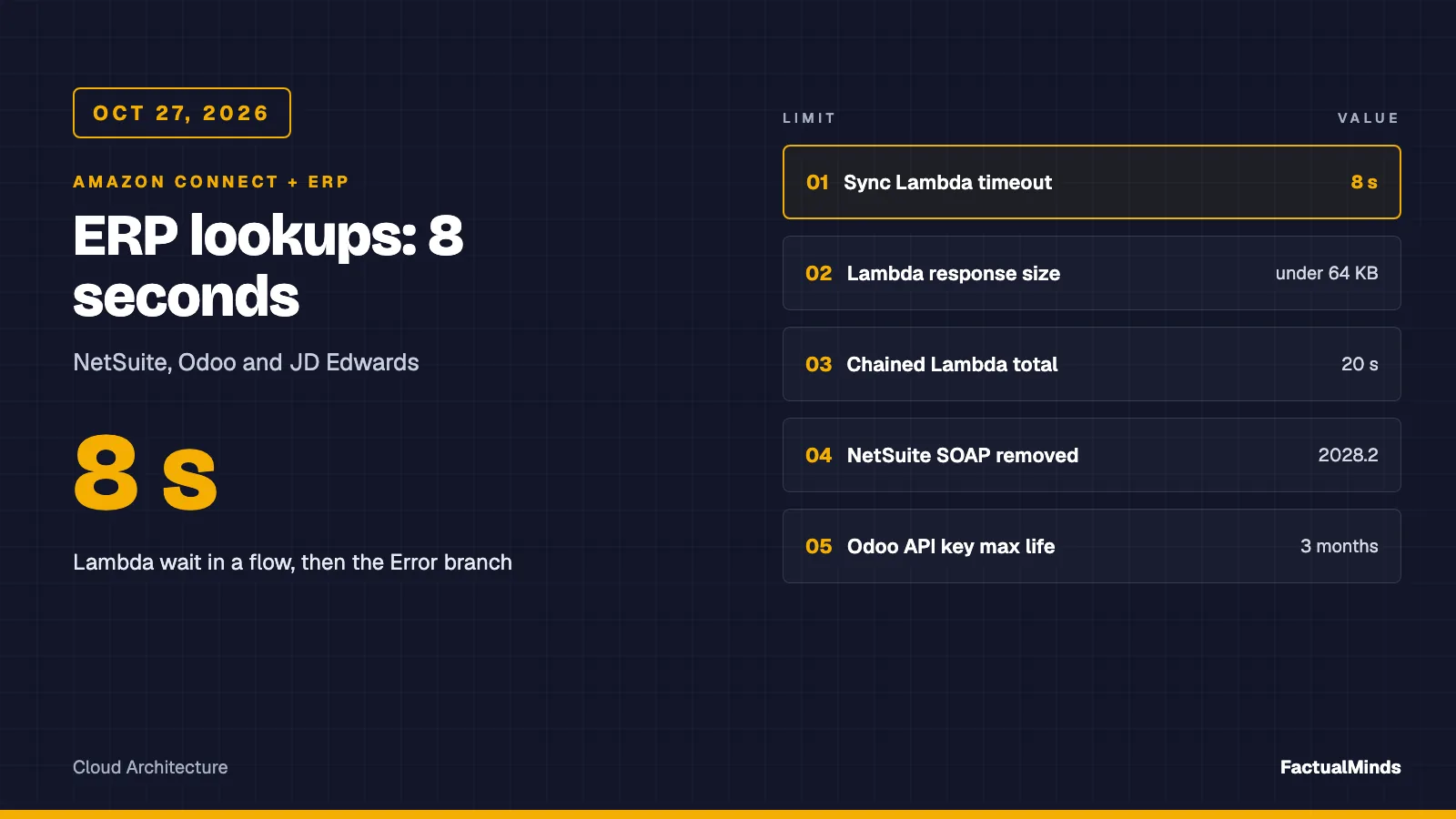
- The parent guide, Amazon Connect ERP integration: NetSuite, Odoo and JD Edwards, covers what all ERPs share: the 8-second synchronous Lambda budget, the flat response and the never-throw map
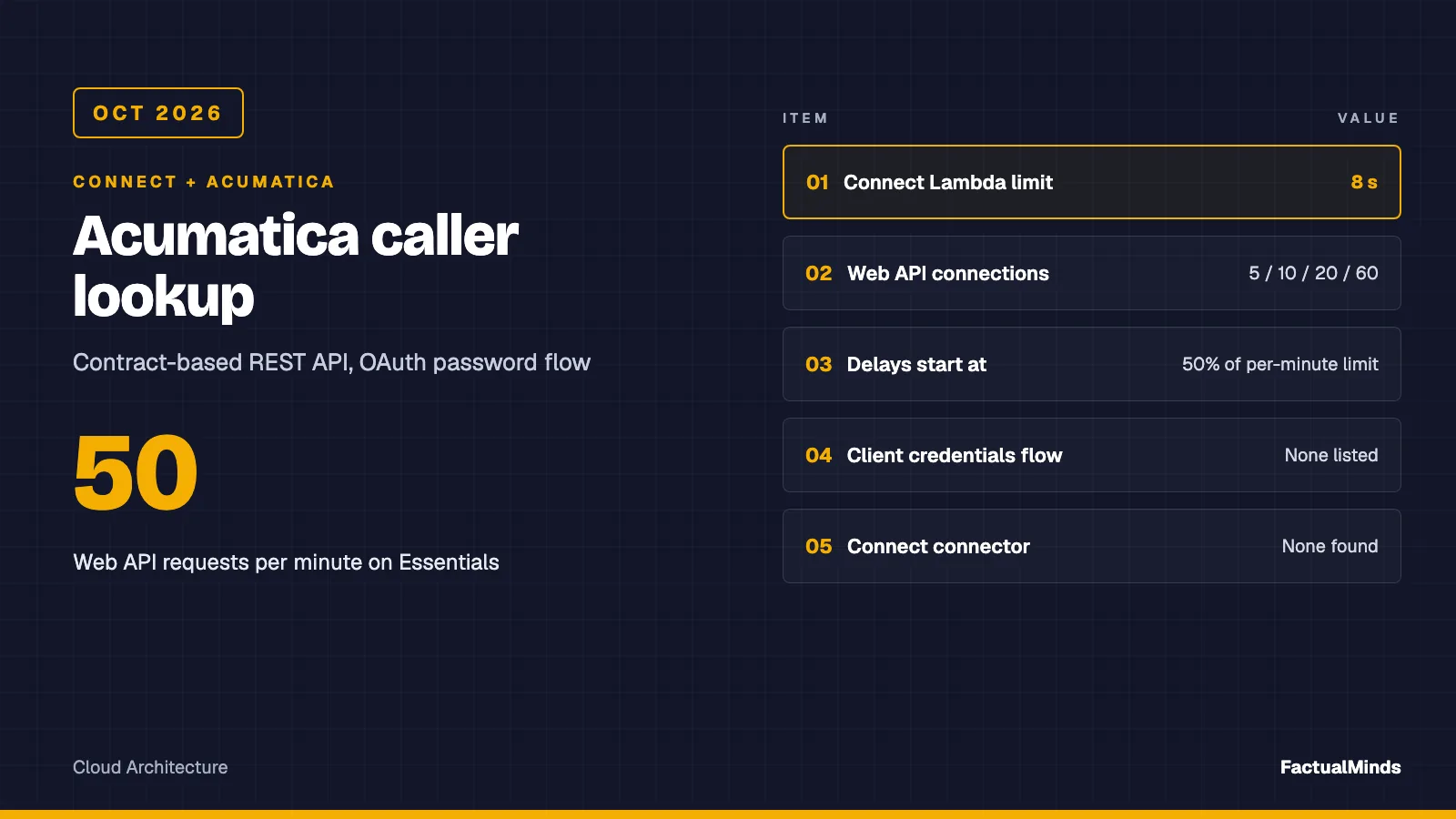
Table of Contents
On October 30, 2026, a Connect flow gives your Lambda 8 seconds to find a caller in Acumatica and return four strings, and Acumatica’s April 2026 Licensing Guide limits how many requests that Lambda may spend. On the Essentials product the limits are 50 Web API requests per minute and 5 API connections. This post builds a three-call lookup against the contract-based REST API, shows where the license limits bite, and ends with a test plan.
The parent guide, Amazon Connect ERP integration: NetSuite, Odoo and JD Edwards, covers what all ERPs share: the 8-second synchronous Lambda budget, the flat STRING_MAP response and the never-throw FALLBACK map. This post covers only what is specific to Acumatica.
This is a design and mocked tests. We have not run it against a live Acumatica instance, and FactualMinds has no published Connect plus Acumatica engagement. Broader Connect work is on Amazon Connect consulting.
Native, supported or custom
| Piece | Label |
|---|---|
| Invoke AWS Lambda block, contact attributes | Native (Connect) |
| Acumatica contract-based REST API, OAuth 2.0, Generic Inquiry OData | Native (Acumatica, vendor-documented) |
| An Amazon Connect connector from AWS or from Acumatica’s marketplace | None found in the sources we read |
| Third-party iPaaS or partner connector | Third-party, licensed separately, not evaluated here |
| The Lambda adapter and the phone-matching rule | Custom engineering (artifact) |
Amazon AppFlow’s supported-applications list on October 30, 2026 names SAP OData, Microsoft Dynamics 365, QuickBooks Online and JDBC among many others, but not Acumatica. Searching Acumatica’s marketplace returned its Amazon Seller Central connector, which syncs listings, inventory and orders with the retail marketplace and has nothing to do with Amazon Connect. We did not check every partner listing, so read this as none found, not proof that none exists.
What the Lambda asks Acumatica
The same four outputs as the other ERPs in the series: accountStatus, openInvoiceCount, lastOrderStatus and lastOrderRef. In Acumatica that takes three requests. The first finds the customer by phone, with $top=2 so a second match is visible. The other two, open invoices and the latest sales order, do not depend on each other, so the adapter runs them together.
The per-minute limit counts requests, not callers, so each lookup costs three. Richer data (invoice lines, credit memos, pricing) belongs on the agent screen, fetched on demand, as in custom agent UI and Customer Profiles.
Choose the endpoint and version
Requests go to /entity/<endpoint name>/<endpoint version>/<entity>, and most integrations use the Default endpoint. Acumatica’s examples use versions such as 24.200.001 and 25.200.001. Which versions you can call depends on your release, so check what your instance offers before you pin one.
Acumatica’s 2026 R2 change list shows why pinning matters. Default/26.200.001 uses contract version 5 and Default/25.200.001 uses contract version 4. Between them, 163 string single-select fields change type from StringValue to StringSingleSelectValue, 43 date-only fields change from DateTimeValue to DateOnlyValue, and SalesOrder.LastModified becomes LastModifiedDateTime. We did not check whether Customer.Status, SalesOrder.Status or SalesOrder.Date are among them, or whether the JSON the adapter reads differs.
We recommend pinning one version your instance offers, setting it in ACU_VERSION, and rerunning the test plan before you change it. The trade-off is an upgrade task you own. The reason is that a changed Status shape shows up as a wrong IVR answer, not an error.
Authentication: which flow, and the session trap
Acumatica’s page on authorization flows lists four: Authorization Code, Implicit, Resource Owner Password Credentials and Hybrid. Client credentials is not on it. You register the client on the Connected Applications form (SM303010) inside each instance, and the client ID carries the tenant (a GUID, an at sign, the tenant name).
That leaves two realistic choices for a Lambda.
The password flow. The Lambda posts grant_type=password, the client ID and secret, an API user’s name and password, and scope=api to /identity/connect/token. The response carries access_token and expires_in; the example on Acumatica’s authorization-code page shows 3600 seconds, and we saw no password-flow example with a value. The adapter implements this flow. Acumatica’s caution is direct: the flow suits a high level of trust between user and client, it bypasses the authorization step, and Acumatica suggests another flow when you can. It does not say whether an API user behind SSO or multi-factor authentication can use it, so test with the real user.
The authorization code flow. A person authorizes the application once, and the Lambda holds a refresh token (the offline_access scope) in Secrets Manager. That avoids a stored user password, at the cost of a manual consent step and refresh-token rotation. The adapter does not implement it.
We would start the pilot on the password flow with a dedicated read-only API user, and move to the authorization code flow if your security review rejects a stored password. The larger risk is sessions.
Cookie login and why sign-out matters
The older route is POST /entity/auth/login with the credentials, tenant and branch in a JSON body; a 204 returns cookies that you pass on later requests. Acumatica says direct sign-in with a username and password is going to be discontinued in a future version and points to OAuth 2.0 or OpenID Connect. Do not start new work on it.
Both routes share the session rule. Acumatica counts API sessions against the license, and an unclosed session can block later sign-ins. A cookie session closes after a 10-minute timeout. For OAuth, the troubleshooting page says an API Login Limit error appears when unclosed sessions equal the license’s limit, and the first fix it lists is to wait one hour for the OAuth session to expire, or to sign out every time. The session page adds that you cannot forcibly terminate all sessions of API users. Sign-out requests (POST /entity/auth/logout, 204 on success) skip the request queue.
Without the api:concurrent_access scope, Acumatica manages the session through the token, and one access grant uses one session. The adapter requests only api, caches the token in each warm Lambda container and never signs out, because a frozen container gives no moment to do it. So each warm container holds one API session for up to the token’s lifetime.
The guide’s named-user table lists 5, 5, 10 and 10 connections included for the same four products, so your number depends on your licensing model. If a low cap is unacceptable, sign out per invocation instead: token, three reads, sign-out. That costs one more call per lookup but holds a session only while the lookup runs.
The three reads
Context: these are the requests the adapter sends, decoded for reading, against Default/24.200.001 as in Acumatica’s examples. None has been run against a live instance.
GET /entity/Default/24.200.001/Customer?$filter=MainContact/Phone1 eq '+14155550123'&$select=CustomerID,Status&$top=2
GET /entity/Default/24.200.001/Invoice?$filter=Customer eq 'C000012' and Type eq 'Invoice' and Status eq 'Open'&$select=ReferenceNbr&$top=101
GET /entity/Default/24.200.001/SalesOrder?$filter=CustomerID eq 'C000012'&$select=OrderNbr,OrderType,Status,Date&$top=101
Details that cost time:
- The
+in an E.164 number must be percent-encoded, or a query string reads it as a space. The adapter encodes every value, and a test checks for%2B14155550123. - Filtering on a linked entity’s field is documented:
MainContact/Email eq 'demo@gmail.com'is Acumatica’s own example, andMainContact/Phone1appears in its customer-with-contacts example. The filter page does not say whether the filter needs$expand=MainContact, and the$selectpage says nested paths in a select do. Our$selectuses only top-level fields, so we send no$expand. Test your instance with and without it. We did not measure what an expand costs; note that it is not recursive, so$expand=MainContactleaves the address inside it unexpanded. - Always send
$top. When it is omitted the request returns all matching records, and if a SQL Server resource governor limit applies and the result exceeds it, the request errors. - Acumatica’s filter page says nothing about escaping quotes. The adapter doubles any single quote, the standard OData convention, and a test covers it.
- Responses wrap each field as
{ "value": ... }. The adapter readsrow.CustomerID.value. - The invoice call is where we are least sure.
Status eq 'Open'returned results on the Invoice entity in a January 2026 community thread, where an invoice created from the Sales Orders module was invisible to Invoice and needed the SalesInvoice entity, per the accepted answer.Type eq 'Invoice'and theCustomerfield name come from a third-party tool’s examples and our reading, not from Acumatica’s docs. - Customer
Status: we confirmedActiveonly from a community payload. The adapter upper-cases the value and turns spaces into underscores, so a hold status reaches the flow as something likeON_HOLD. Learn the exact strings from your data and branch on those.
The latest order has no sort
Acumatica’s list of query parameters for contract-based REST names $filter, $skip, $top, $expand, $select and $custom. It does not name $orderby, and a community thread says ordering is not reliable. A batch example says “in order of creation” without calling that a guarantee, and the $top page does not define which records come first.
The adapter therefore fetches up to 101 orders, sorts on Date and OrderNbr itself, and returns UNKNOWN for both order fields past 100, because the newest might be outside the page. SalesOrder.Date is unverified. Open invoices follow the same cap: more than 100 returns 100_PLUS. A Generic Inquiry that returns both in one call is the better design if you have the build capacity.
Phone matching decides your hit rate
Acumatica stores Phone1 as text, and we found nothing in the docs we read about its format, so assume users type whatever they like. A caller ID of +14155550123 will not equal (415) 555-0123, and the adapter filters by equality. A miss returns NOT_FOUND, which the flow reads as an unknown caller, and nothing alerts on it.
Options, in the order we would try them:
- Measure first. Take 20 customers you know and compare the stored phone with what their caller ID would be. If many miss, change the data rather than the code.
- A normalised custom field. Maintain an E.164 value on the customer’s contact through an import or customization, and point the adapter at it with
ACU_PHONE_FIELD. Acumatica documents a custom-field filter syntax,cf.String(f='<View>.<Field>') eq '...', and a$adHocSchemarequest that returns the name, view and type of fields outside the endpoint contract. One August 2025 community thread reports it returning only sub-table definitions for Customer on version 25.1, so check yours. - A Generic Inquiry exposed through OData. Inquiries built on the Generic Inquiry form (SM208000) are served at
<instance URL>/t/<TenantName>/api/odata/giwith basic authentication, or OAuth 2.0 for OData clients. A GI could hold a computed phone column and return the invoice count and last order in one request. We did not read the page on preparing an inquiry for exposure, did not verify which formula functions strip punctuation, and did not check whether OData calls count toward the per-minute limit. One documented catch: for concurrent-user licensing, basic-auth OData sign-ins count as conventional user sign-ins, not API sessions.
Acumatica documents substringof, startswith and endswith for filters, without syntax. They help only when the stored value contains your digits contiguously, which formatted numbers often do not.
Limits, throttling and the lookup budget
The limits are license properties. You can see yours on the License tab of the License Monitoring Console (SM604000), and its Statistics tab shows delayed and declined requests, the first place to look when a lookup is slow.
Requests beyond the concurrency limit wait in a queue. When requests in the past minute reach 50% of the per-minute limit, new requests are delayed by a calculated time that the page does not state. A request is declined only if more than 20 are queued or it waited over 10 minutes, and the page gives no HTTP status for that. The session page says exceeding the license limit returns 429, and the adapter maps any 429 to HTTP_429.
The April 2026 Licensing Guide (for products introduced on or after April 2024) lists, for Essentials, Select, Prime and Enterprise:
| Constraint | Essentials | Select | Prime | Enterprise |
|---|---|---|---|---|
| Web API connections | 5 | 10 | 20 | 60 |
| Web API requests per minute | 50 | 100 | 150 | 300 |
| API concurrency (max queue size) | 5 | 10 | 20 | 40 |
| Parallelism | 1 | 2 | 3 | 8 |
SaaS Reserved Resources can raise some of these, and older products have their own guide, which we did not read. The queue size differs from the help page’s figure of 20, so trust your SM604000 over either document.
Parallelism of 1 on Essentials means the adapter’s two parallel reads run one after the other. A starting allocation for the 5-second abort, proposed and not measured:
| Stage | Budget |
|---|---|
| Token request (cold container only) | 1.0 s |
| Customer lookup | 1.0 s |
| Invoice and order reads, in parallel | 2.5 s |
| Mapping and response | 0.5 s |
Replace these with your own p95. If the reads alone exceed the budget, use the cached pattern in the parent post.
SaaS or private cloud: the network path
Acumatica’s Licensing Guide describes two models. A SaaS subscription includes hosting and the internet connectivity Acumatica uses to host the software. A Private Cloud Subscription lets customers run the software on their own premises, or have a VAR or third party host it. We found no statement about IP allow lists or private connectivity for SaaS in what we read, so ask your account contact.
For SaaS, a Lambda outside a VPC calling the instance URL over HTTPS is the simplest design and needs no NAT gateway. If your tenant restricts source addresses, note that Lambda egress addresses are not fixed without extra setup. For a private cloud on your own network, follow the JD Edwards post: a VPC route over Site-to-Site VPN or Direct Connect, private DNS, your private CA trusted, and a route to Secrets Manager. In both cases the handler aborts the ERP call at 5 seconds, so Connect’s 8-second ceiling never decides.
Errors and fallbacks
The handler never throws. The adapter raises a code and the handler turns it into lookupStatus FALLBACK with a fallbackReason.
| Situation | Reason | What to check |
|---|---|---|
| Token request rejected (bad client or user) | HTTP_400 or HTTP_401 | Connected application, client secret, API user. We did not verify Acumatica’s OAuth error body. |
| Bearer token rejected | HTTP_401 | The adapter drops its cached token; the next call signs in again. |
| API user lacks rights | HTTP_403 | Role and entity access of the API user. |
| License limit or API Login Limit | HTTP_429 | Reserved concurrency against Web API connections; SM604000. |
Instance error, or $top missing against a governor limit | HTTP_500 | Acumatica trace for the request; confirm $top is sent. |
| Two customers on one phone | AMBIGUOUS | Ask the caller for an account number instead of picking one. |
| 200 with an error object, or a missing field | BAD_RESPONSE | Response shape after an endpoint version change. |
| No answer inside 5 seconds | TIMEOUT | Delays at SM604000, network path, cold token. |
| Missing configuration | NOT_CONFIGURED | The required variables below. |
A NOT_FOUND is a successful lookup, so branch on lookupStatus first, then on accountStatus.
The adapter’s required configuration is ACU_URL (the instance URL including any instance path), ACU_VERSION, ACU_CLIENT_ID, ACU_CLIENT_SECRET, ACU_USER and ACU_PASSWORD. Optional are ACU_ENDPOINT (default Default) and ACU_PHONE_FIELD (default MainContact/Phone1). Read the secrets from Secrets Manager at cold start rather than from plain environment variables.
Security
- A dedicated API user, never a person, with a role limited to Customer, Invoice and SalesOrder reads and no write access. The Licensing Guide says users designated as API users cannot use the user interface.
- The client secret and the user’s password are two secrets. Rotate both.
- Log status, reason and timing, never the phone number or ERP data. The shared handler already does this.
- Return the fewest fields, since values saved with Set contact attributes are included in contact records. Running on AWS does not make invoice handling compliant.
Step-by-step test plan
Read your limits. Open SM604000, note API connections, concurrent requests and requests per minute, and the Statistics tab’s delayed and declined counts.
Get a token from a laptop first:
curl -sS -X POST "$ACU_URL/identity/connect/token" \
  --data-urlencode grant_type=password \
  --data-urlencode "client_id=$ACU_CLIENT_ID" --data-urlencode "client_secret=$ACU_CLIENT_SECRET" \
  --data-urlencode "username=$ACU_USER" --data-urlencode "password=$ACU_PASSWORD" \
  --data-urlencode scope=api
Confirm
access_tokenandexpires_in. The pages we read do not say how a multi-tenant instance expects the tenant in the user name, so check your own sign-in.Run the three reads with
curland the bearer token. Try the customer call with and without$expand=MainContact, and fetch one Invoice and one SalesOrder with$top=1to see which field names exist.Try 20 known customers with their E.164 numbers and count matches.
Negative cases: unknown phone, two customers on one phone, wrong password, a stopped instance.
Time the whole lookup from the Lambda’s network against the allocation table.
Run 10 concurrent lookups, then check SM604000. Repeat with reserved concurrency at your chosen cap.
Run the artifact test:
cd examples/architecture-blog-2026/connect-commerce-context/erp && node --test. The seven Acumatica tests pass, and so does the rest of the folder’s suite.Connect flow. Synchronous block,
STRING_MAP, timeout 6 to 7 seconds, then a Check contact attributes branch onlookupStatusbefore any data branch.
Troubleshooting
| Symptom | Likely cause | Check |
|---|---|---|
HTTP_429 on the first call of a spike | API Login Limit: more warm containers than connections | Reserved concurrency; wait for the OAuth sessions to expire |
HTTP_429 mid-spike | Per-minute limit | SM604000 Statistics, other integrations |
| Lookups slow but no errors | Delays after the 50% threshold | SM604000 delayed requests |
NOT_FOUND for a known customer | Stored phone is not E.164 | Compare stored value with caller ID |
BAD_RESPONSE after an upgrade | Endpoint version or field types changed | Pinned ACU_VERSION; response shape |
openInvoiceCount always 0 | Invoices live in the SalesInvoice entity, or Type and Status differ | Query the entity directly with $top=1 |
lastOrderRef is UNKNOWN | More than 100 orders for the customer | Move last-order to a Generic Inquiry |
Costs (published prices only)
On October 30, 2026, the AWS Lambda page lists $0.20 per million requests and $0.0000166667 per GB-second (x86, US East N. Virginia), with a free tier of 1 million requests and 400,000 GB-seconds a month. Arithmetic, not a measurement: 100,000 lookups a month at 512 MB and 1.5 seconds is 75,000 GB-seconds, inside the free tier. We found no published price for raising Acumatica’s API allowance, and a private cloud needs a VPN or Direct Connect, priced separately by AWS.
What to do this week
- Read the License tab in SM604000 and write down connections, requests per minute and concurrency.
- Decide the cap: Lambda reserved concurrency of no more than half the connection count, then agree it with owners of other integrations.
- Create the connected application and a dedicated, read-only API user.
- Run test plan steps 2 to 4, and record the phone hit rate on 20 customers.
- Choose how to normalise phones (custom field or Generic Inquiry) before building the flow.
- Add the
FALLBACKalarm by reason, andHTTP_429first, before routing live traffic.
What this post doesn’t cover
- A live run against Acumatica. The tests are mocked and the response shapes are illustrative.
- Verified Customer status values, Invoice field names (
Customer,Type),SalesOrder.Date, and whether the filter needs$expand. Check each on your version. - Version 26.200.001 for the fields the adapter reads. A third-party article describes new query syntax for it; Acumatica’s change list does not mention that, and we did not confirm it.
- Authorization code flow, refresh tokens, sign-out per invocation and a Generic Inquiry adapter. None is implemented.
- Acumatica licensing price, the effect of OData calls on request limits, and SaaS network allow-listing.
- Writes back to Acumatica. NetSuite, Odoo and JD Edwards are in the parent guide, with deep dives for NetSuite and Odoo.
Sources
- Acumatica: authorization flows
- Acumatica: signing in to the REST API
- Acumatica: API sessions, timeout and sign-out
- Acumatica: license restrictions for API sessions and requests
- Acumatica: OAuth troubleshooting, API Login Limit
- Acumatica: authorization code flow and token endpoint
- Acumatica: retrieving lists, query parameters
- Acumatica: Generic Inquiries through OData
- Acumatica: 26.200.001 change list
- Acumatica Licensing Guide, April 2026
- MYOB’s edition of the Acumatica integration guide: password flow token request
- MYOB’s edition: password flow general information
- MYOB’s edition: $filter, $select, $top
- MYOB’s edition: customers with contacts and sales orders in batches
- MYOB’s edition: license restrictions for API users
- Acumatica community: Invoice versus SalesInvoice thread, January 2026
- AWS: Lambda functions in Connect flows
- AWS: Amazon AppFlow supported applications
- AWS Lambda pricing
Frequently asked questions
Which OAuth flow should a Lambda use to call the Acumatica REST API?
What happens if the Lambda never signs out?
Can a call spike from the contact center slow down everything else in Acumatica?
When should we not look up Acumatica live from the flow?
Is there an Amazon Connect connector for Acumatica?
What could go wrong with phone matching?
Does this post prove the lookup works on our Acumatica instance?

AWS Cloud Architect & AI Expert
AWS-certified cloud architect and AI expert with deep expertise in cloud migrations, cost optimization, and generative AI on AWS.